The Better BFCM
Shopping Experience
Practical ways for Shopify stores to:
- Convert more holiday traffic
- Increase order value
- Improve the customer experience
- Reduce preventable returns



Help shoppers choose confidently. Give them fewer reasons to leave.
BFCM brings more shoppers to the store. What happens next depends on how easy it is for them to find what they want, trust what they see, and complete the purchase.
Make the product easier to choose.
Help shoppers find the right options, understand sizing, and use reviews to make a decision.
Give shoppers more reasons to buy.
Make gifting easier, create opportunities to increase the order value, and let customers fix simple mistakes after checkout.
Then prepare for what happens after checkout.
Make returns easier to manage and reduce preventable returns.
questions to answer before BFCM
Can shoppers find the variant they want?
Show every option and the photos that match the selection.
Do reviews answer the questions stopping someone from buying?
Bring the most useful customer feedback closer to the purchase decision.
Can shoppers choose the right size without guessing?
Give them sizing guidance based on the product they are buying.
Is gifting easy to add to the order?
Give shoppers a simple way to send a gift that feels personal.
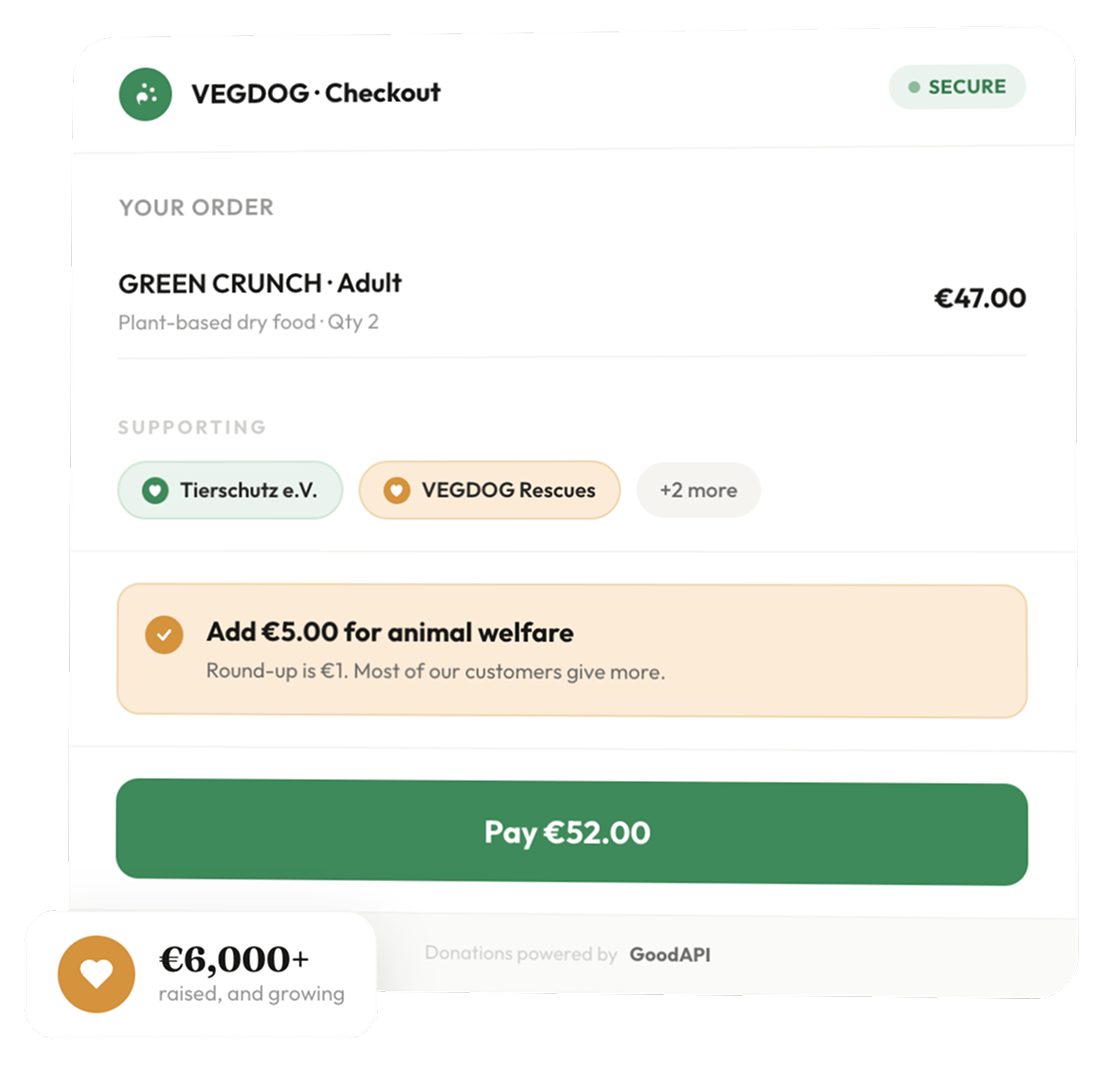
Can the order do something good too?
Give customers an easy way to support a cause as part of their purchase.
Can customers fix an order after checkout?
Let them handle simple changes without creating another support ticket.
Are you ready for the returns that follow BFCM?
Set the rules and automation before return volume increases.

Helping shoppers choose the right variant, fast
Make product options easy to see, compare, & buy.
A shopper may want the product and still get stuck choosing the version they want. Color, material, finish, size, or configuration can change the look, the price, and what ends up in the cart.
How those options are shown can affect revenue.
In one A/B/C test, replacing a dropdown with visible swatches increased:
01 · Show the options without making shoppers open a dropdown
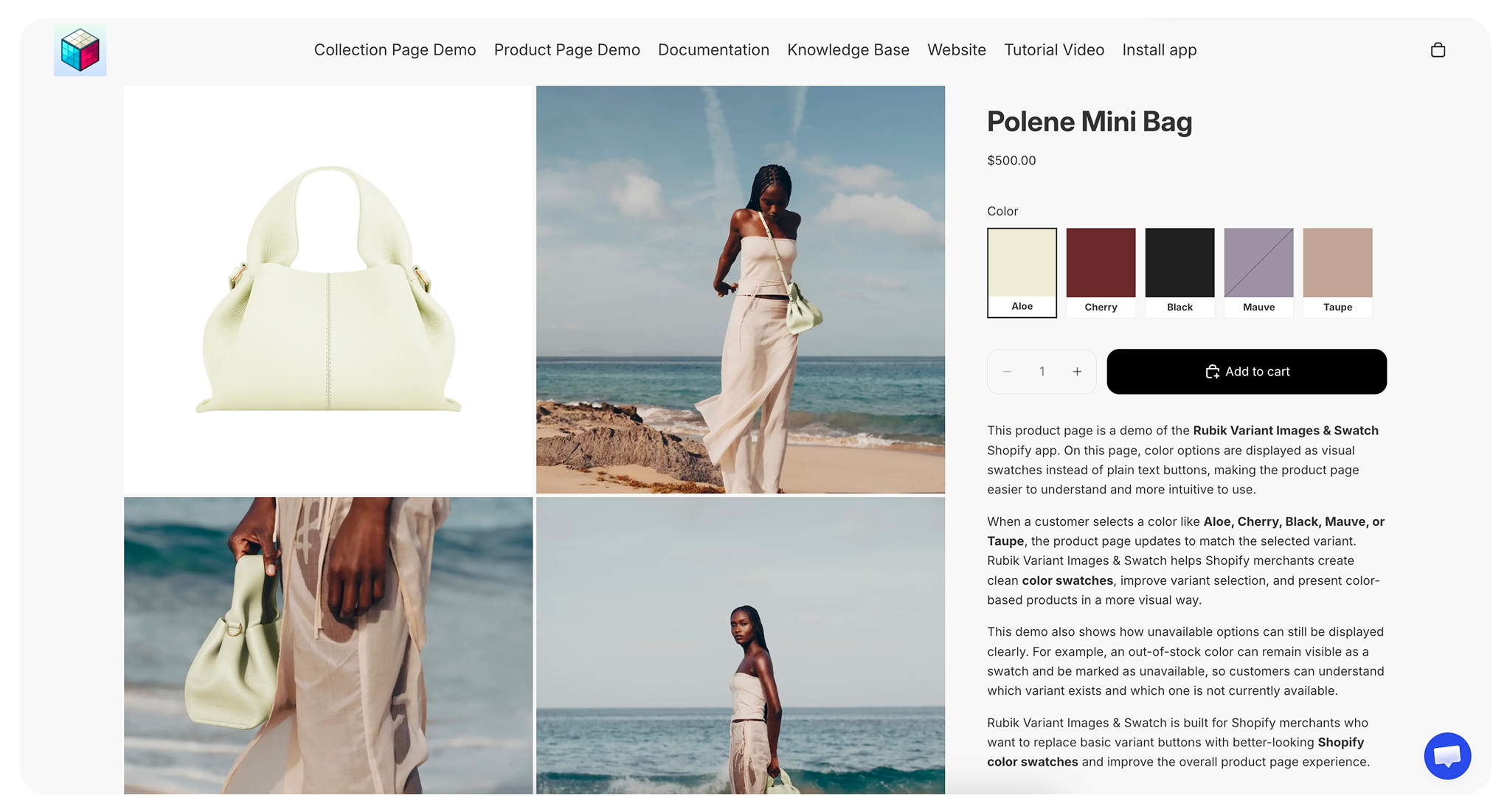
A dropdown hides the available options until the shopper opens it. Swatches show the choices together, making colors, patterns, materials, and finishes easier to compare.
Some variants cost more. A larger size, premium material, upgraded finish, or other option should show the price that goes with it.
Review your bestsellers with the most variants. Make sure the main options are visible without opening a dropdown, and use image swatches when a color circle does not show enough detail.
02 · Show the images that match the selected variant
Product images are often one of the first things shoppers check. After they select a variant, the gallery should show that version.
For clothing, that may mean the correct size or fit. For furniture, it may mean the selected fabric or finish. The same issue applies to shoes, accessories, home goods, and other products where the variant changes what the customer will receive.
Shopify links 1 featured image to a variant by default. The rest of the gallery can still show images for every other option.
A shopper looking at 1 variant only needs the photos for that choice. With all 72 images still in the gallery, they have to work out which ones match what they selected.
Showing the right images gives shoppers a better idea of what they are buying before they add it to the cart.
If an image applies to every version of the product, keep it visible when shoppers scroll through the variants. A size chart or care guide should not disappear just because they picked another color.
Check the products with the largest galleries. Select each main variant and make sure the matching photos appear without removing shared images shoppers still need.
03 · Show variants on collection pages
A shopper may pass over a product because the image shown is not the color, material, or finish they want. If the other options are only visible after opening the product page, some shoppers will never see them.
Swatches on the product card let shoppers check more of the range from the collection page. The image should update with the selected option so they can see what they picked before opening the product.
The price should update too. If one variant costs more, the product card should show the price for the version on screen.
Review the collections used in your BFCM emails and ads. Make sure shoppers can see the available variants, preview the matching image, and open the product with the option they selected.
04 · Test every variant before BFCM
Variant selectors, galleries, prices, and product cards can behave differently across Shopify themes. Products with several options or sold-out combinations need extra testing.
On both mobile and desktop, test the product the way a shopper would. Change the color or size, add it to cart, and make sure the image, price, variant name, and cart item all reflect the option you picked.
Test sold-out variants too. Shoppers should be able to see what is unavailable without losing track of what they can still buy.
Test featured products going through to checkout, including sold-out combinations, and confirm who will handle any urgent changes.
Check your promoted products before BFCM
Shoppers should be able to see the options, pick one, and see the matching images and price right away.
Start with the products you expect to promote most, and test the experience from the collection page to the cart.
Build trust before the shopper scrolls
Put customer feedback where it helps someone decide.
Reviews answer questions shoppers still have after they reach the product page.
- “Does it look like the photos?”
- “Is the quality good?”
- “Has anyone bought it as a gift?”
Where those reviews appear matters. Shoppers need to see useful customer feedback while they are deciding, not only after scrolling to the bottom of the page.
01 · Reviews help gift buyers decide
A gift buyer may know which product they want without knowing whether it is a good choice. Reviews from previous customers can help them judge the quality, fit, and how the product looks in person.
Check the products you plan to feature during BFCM. A bestseller may already have plenty of reviews, while a new product or holiday gift set has very few. Those are the products where shoppers have less customer feedback to help them decide.
Review your featured products and gift collections. Ask previous buyers for feedback on products with few reviews, especially photos and details that would help someone buying a gift.
02 · Review summaries make long review sections easier to scan
A high rating gives shoppers a quick impression, but the written feedback explains what customers actually liked and what someone should know before ordering.
Someone buying a jacket may want to know whether it fits over a sweater. A gift buyer may want to know whether the packaging arrived in good condition. Useful details like these can be hard to find when a product has hundreds of reviews.
Review summaries can bring common feedback forward while keeping the individual reviews available for shoppers who want to read more.
Add an automatic review summary so shoppers can scan common feedback without reading every review. Check that it’s easy to read on mobile.
Check what shoppers learn from your reviews
- Before sending more traffic to a product page, check what the reviews tell someone who has never bought from you before.
- Make useful feedback easy to find on mobile and collect more reviews on products with little customer feedback.
- During BFCM, watch whether the products with stronger review coverage convert better.
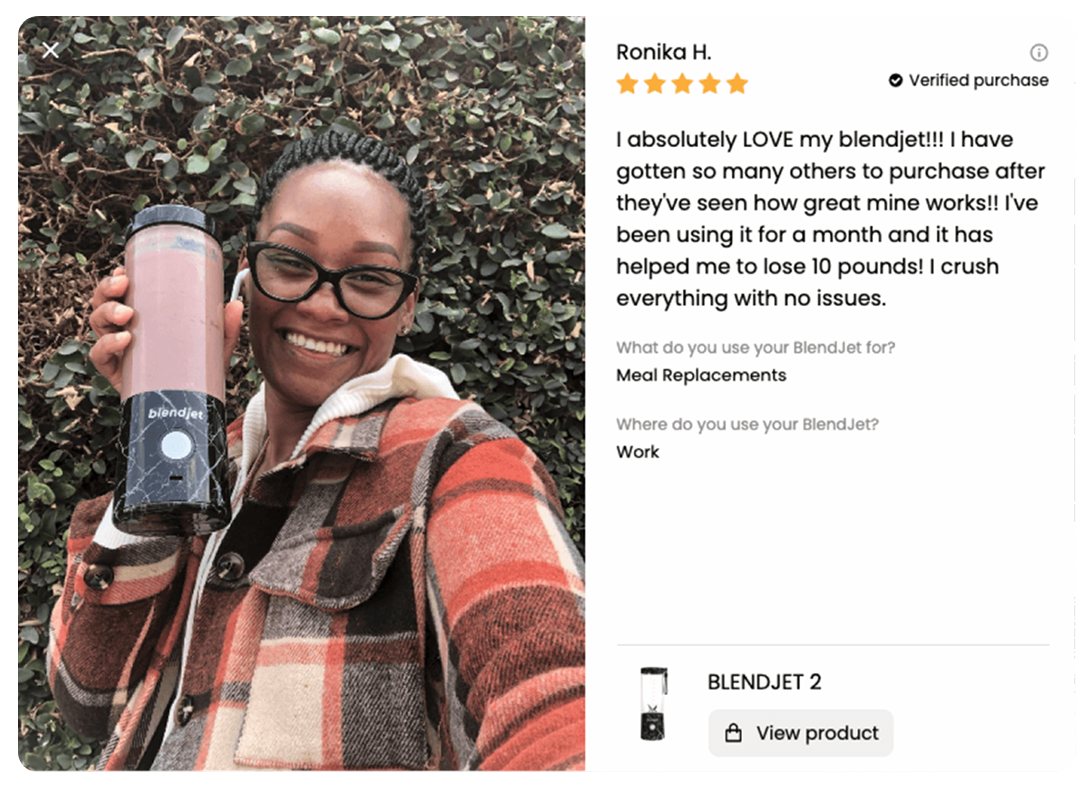
03 · Customer photos and reviews show more than a star rating
BlendJet uses Loox to collect and display feedback from customers who already own and use its portable blenders. Customer photos and written reviews give a new shopper information beyond the brand’s own images.
During BFCM, bring useful parts of that feedback closer to the buying decision. A customer photo or a specific comment about the product can tell a shopper more than the rating alone.
Pick 3 reviews for each featured product that answer a real buying question: 1 about quality, 1 about everyday use, and 1 about gifting. Pin those reviews to the top of your reviews widget so shoppers see them first.
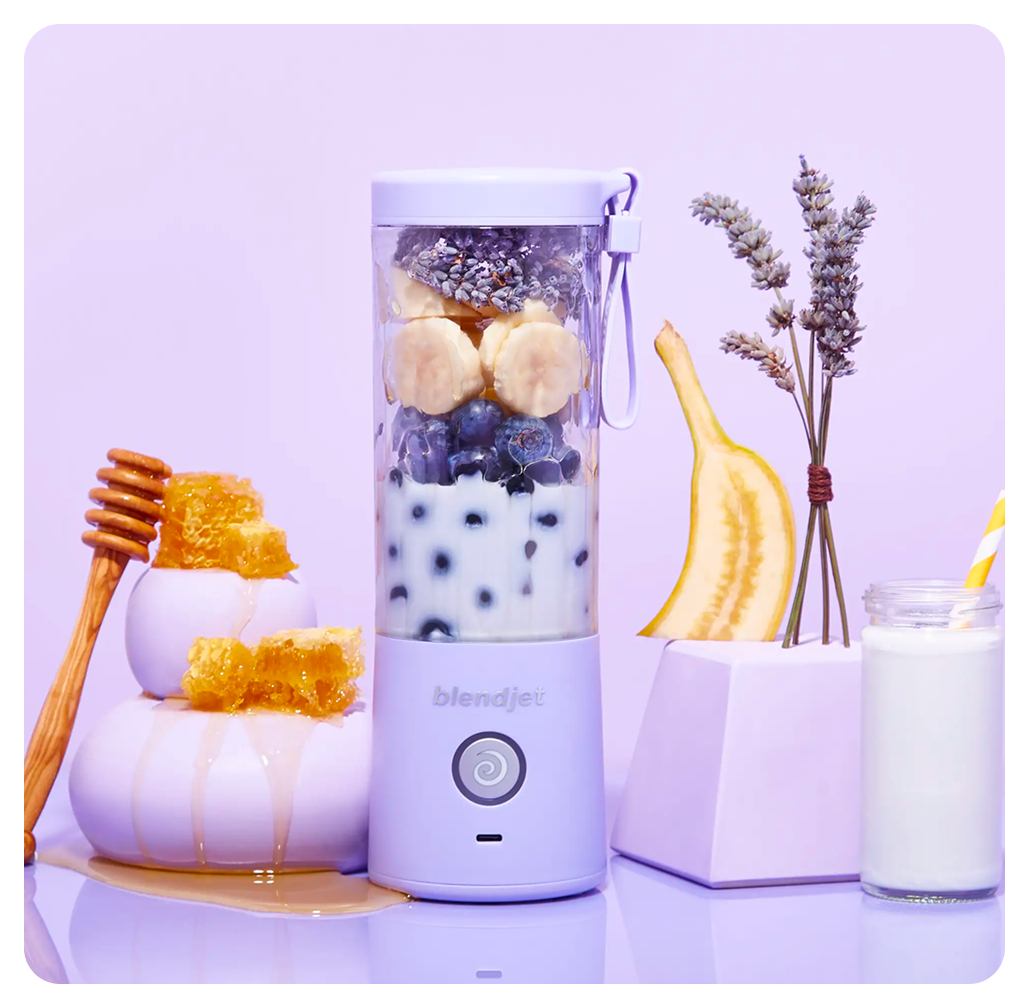
04 · Put reviews where shoppers make the decision
In the test, a Shopify store selling swords added short customer review excerpts beside its buy button. The store recorded 46 additional orders and $8,941 in additional revenue during the test.
A review near the product information or buy button can answer a question before the shopper moves on. The full review section can still sit further down the page for customers who want to read more.
For BFCM, look at what shoppers see when they first open the product page on their phone. Can they see feedback from previous buyers while they are making the purchase decision?
Add review snippets or stories near the product images and buy button. Test the placement on mobile, keeping the price, product options, and buying controls clearly visible.

Helping BFCM shoppers choose the right size
How sizing affects BFCM conversions & returns.
Sizing affects the purchase before and after checkout. A shopper who cannot choose a size may leave without buying, while someone who guesses may place an order that comes back a few weeks later.
During BFCM, those decisions affect sales, available inventory, and the work involved in processing returns. Helping shoppers choose a size before ordering gives stores a better chance of turning holiday traffic into purchases customers keep.

01 · A size chart is not enough during BFCM
BFCM shoppers are moving quickly. If they cannot decide which size to buy, they may leave, guess, or order several sizes and plan to return what doesn’t fit.
A size chart provides measurements, but shoppers may need to measure themselves before they can use it. They may not know how to do that accurately or have a measuring tape handy. Even with the right measurements, they still have to account for the fabric, stretch, and how they want the item to fit.
Getting that decision wrong creates work after the sale, from processing the return to getting the item back into stock.
Check the sizing questions customers ask about your bestsellers. Make sure the answers are on the product page before you send more shoppers there.
02 · They want the product. Help them choose a size
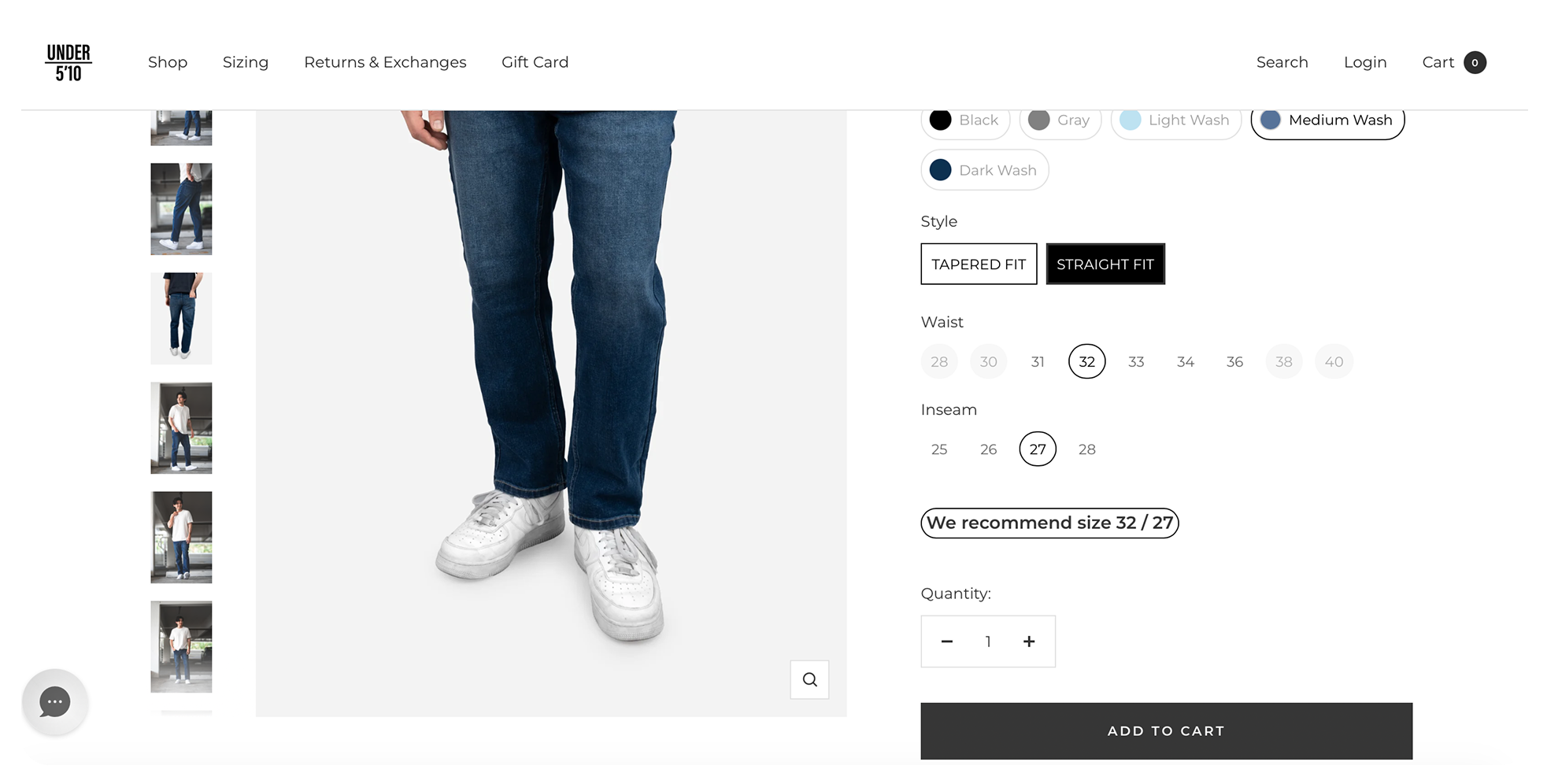
A shopper can like the product and accept the price while still being unsure which size to order. Their usual size may work for a relaxed T-shirt but leave them guessing about a fitted jacket or a pair of pants.
Knowing your waist size doesn’t settle which length or fit to choose. Pants may need guidance on inseam, footwear on width, and a fitted jacket on room through the shoulders.
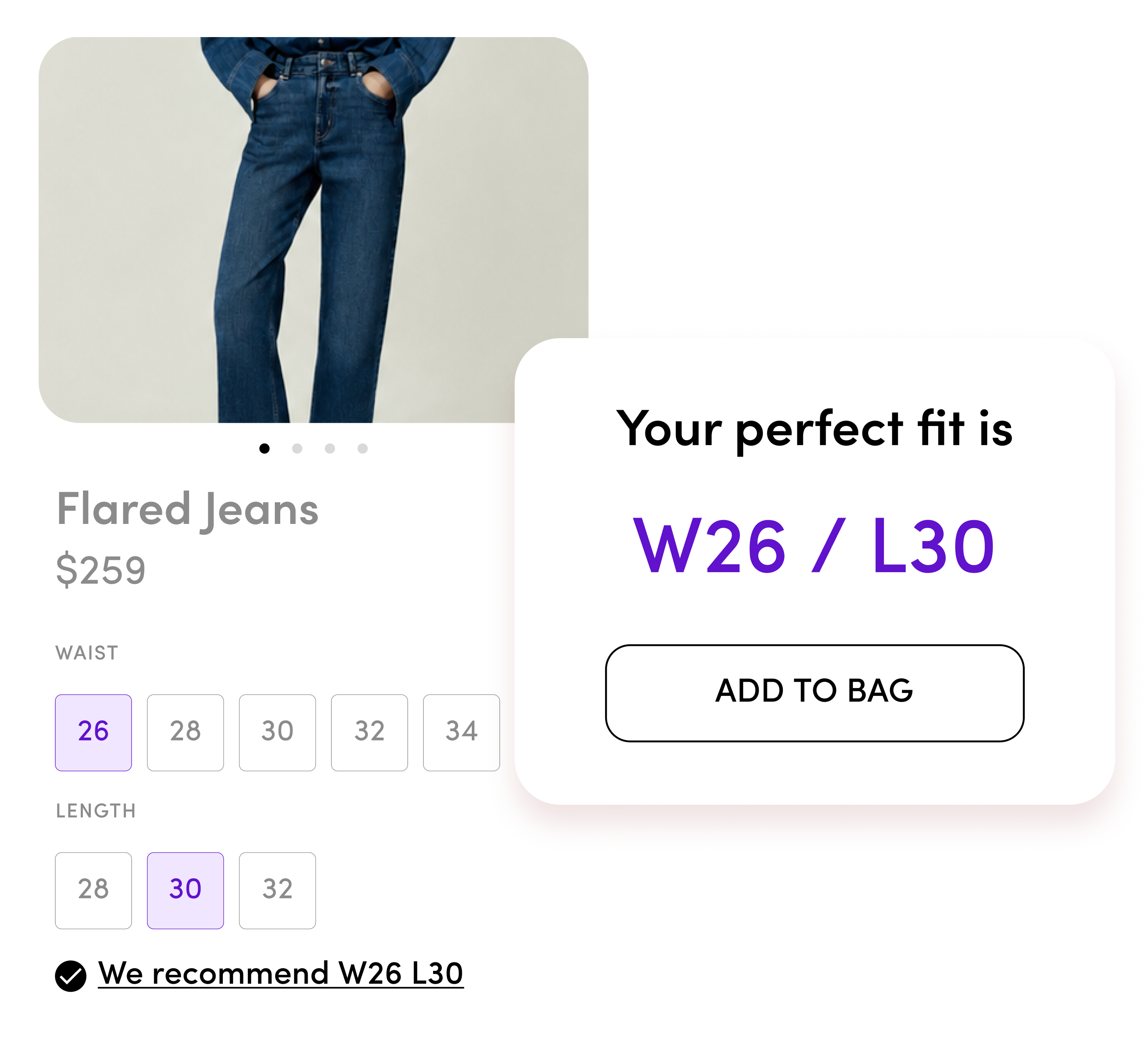
At Under 5’10, sizing recommendations help shoppers choose both size and length. The conversion result shows why sizing belongs in BFCM planning before the returns start arriving.
Make sizing help easy to find beside the size selector. Explain differences in fit, length, or stretch that could affect the choice.
03 · Sizing is a trust signal
Buying from an unfamiliar brand means figuring out whether its sizing will work for you. A review that includes the size purchased and how it fits gives shoppers more to go on than “love this dress.” Model photos labeled with the size worn give them another useful reference.
For Gen Z and Millennials shopping on their phones, that information needs to be easy to find. If they have to leave the product page, search through an FAQ, or wait for support, the purchase takes longer than they expected.
During BFCM, useful sizing information answers a question the discount cannot: Will this fit?
Include purchased size and fit feedback in customer reviews, and label the size worn in model photos. Check that shoppers can find this information easily on their phones.
04 · Buying several sizes means planning for returns
When someone orders several sizes to try at home, part of that purchase is already intended to come back. The store still packs and ships every item, and that inventory is unavailable to other holiday shoppers while it’s with the customer or in transit.
Peaceful Hooligan added product-specific sizing recommendations beside its size selector and reported a 22% improvement in return rate. Its results connect the size decision with what happens after delivery. The sales total arrives before the full returns picture.
Look at purchases made in the recommended size alongside returns. After the sale, allow time for orders to come back before judging the results.
05 · Find the products shoppers keep getting wrong
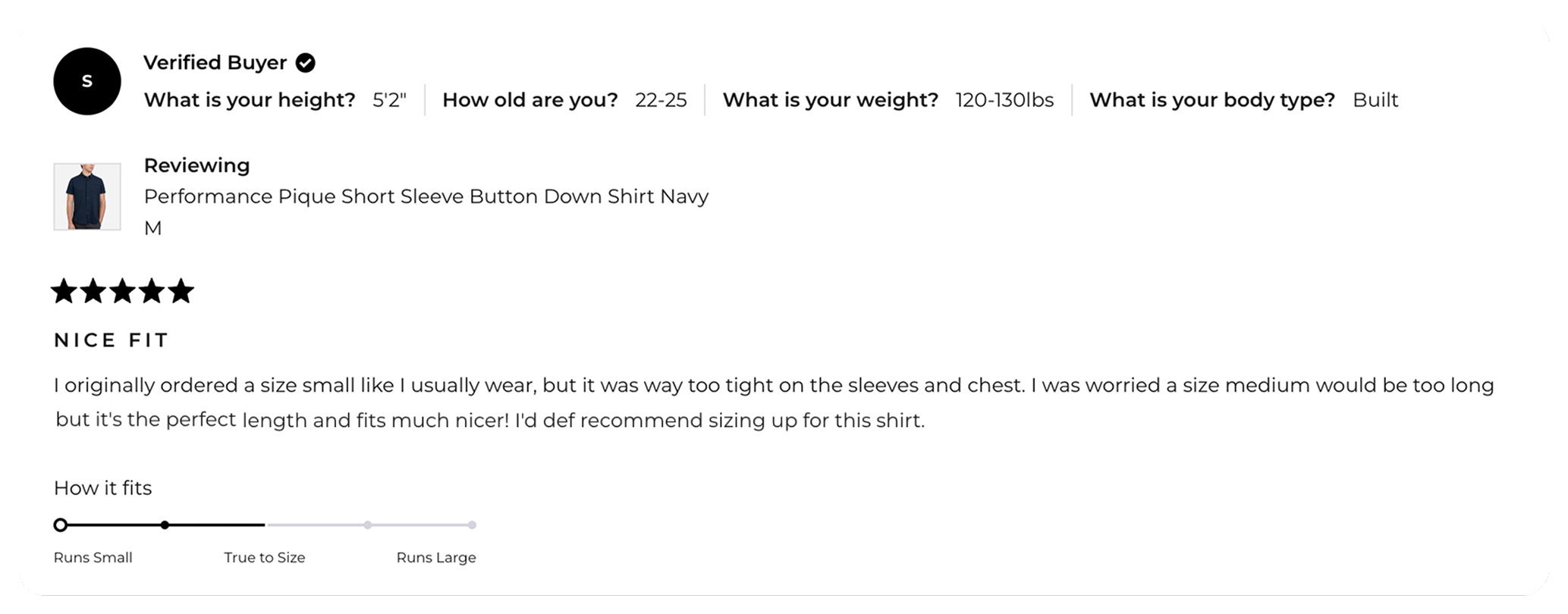
Repeated fit questions and returns tell you where shoppers need more help. If customers keep returning the same pants because they’re too long, review the length information on that product page.
A size recommender can learn from that feedback too. When a store connects its returns app, Fit Quiz uses shoppers’ return reasons to adjust future recommendations, so what comes back after BFCM shapes sizing advice for the next sale.
Review sales & returns together
Sizing affects whether shoppers place an order and whether they keep it. Include it in your BFCM preparation, then follow those purchases through the holiday return period.
Review fit-related return reasons for the products you plan to promote. Update their sizing guidance and check stock in the sizes being recommended.